Your Workforce in One View: How Xero Integration Transforms Accuracy Across Timesheets, Expenses and Job Costs
Category: Workforce Management | Reading Time: ~8 min | Sector: Construction and Engineering | Author: Michael Falconer, FinalSprint (owner of Chx4-work solution)
Overview: This article explores how integrating Xero with a workforce management platform gives construction businesses a single, accurate view of timesheets, expenses and job costs. It explains why manual processes, disconnected systems and paper-based records often lead to payroll errors, misallocated expenses and unreliable job costing, all of which can erode already thin construction margins. By capturing operational data digitally in the field and feeding it directly into Xero, businesses can improve payroll compliance, gain real-time visibility over project costs and make more informed decisions before overruns occur. Ultimately, the article argues that true profitability comes from having one shared source of accurate data across both operations and finance.

A job finishes on Friday. By Monday, the payroll is processed, the invoices are sent, and the job cost report is assembled. Everything looks roughly right. But "roughly right" is doing a lot of heavy lifting in that sentence.
The timesheet was filled from memory. One worker's hours were estimated because their paper timesheet was illegible. A fuel receipt from Wednesday was not coded to the right job. The equipment hire that extended by a day was logged in the operations system but never made it into the accounting software. And the job cost report, built manually from these inputs, shows a margin that is close to what happened, but not exactly what happened.
For a business with a 6% average net profit margin, the distance between "close" and "exact" is often the distance between a profitable job and a loss-making one.
This is the core problem that Xero integration solves. Not by making the accounting software smarter in isolation, but by connecting it to the operational system where the real data is captured, so that what flows into Xero is accurate from the start.
Why Xero Alone Is Not Enough for a Construction Business
Xero is one of the most widely used accounting platforms among Australian small businesses, and for good reason. It handles invoicing, bank reconciliation, payroll, BAS preparation, and Single Touch Payroll reporting with a level of reliability and compliance rigour that most small business owners genuinely appreciate.
But Xero was built as an accounting tool, not a workforce management tool. As RosterElf's independent analysis of Xero's capabilities notes, Xero's built-in timesheets are basic data entry with no clock-in or clock-out functionality, no automatic time capture, and no mobile interface designed for workers on site. Xero cannot create rosters or assign shifts. It does not calculate penalty rates, overtime, or public holiday loadings automatically. And it shows labour costs after the fact, not in real time as the schedule is built.
For a construction business with multiple sites, a mix of employees and subcontractors, and a complex award like the Building and Construction General On-site Award to navigate, these gaps are significant. Xero is the right place for financial data to live. It is not the right place for operational data to be created.
The fix is not to replace Xero. It is to connect it to a platform that handles what Xero was never designed to do: scheduling, workforce management, timesheets, and leave, captured accurately in the field and fed directly into Xero without manual re-entry.
This is the integration model. And in a small construction business, it is one of the most practical operational improvements available.
What Flows Between a Workforce Management Platform and Xero
When a workforce management platform integrates with Xero, three specific data flows change, each with a direct impact on accuracy.
Timesheets to payroll. In a manual process, timesheets are collected on paper or via text, re-entered into a payroll system, and then processed in Xero. At each step, accuracy degrades. In an integrated process, hours are captured digitally at the point of work, approved in the workforce management platform, and transferred directly to Xero for payroll processing. No re-entry. No reconciliation. What was worked is what gets paid.
Xero's construction payroll compliance guide describes this directly: the platform is built to handle time tracking, job costing, leave and super tracking, and real-time reporting, but it relies on accurate data coming in. The integration between a workforce management tool and Xero is what ensures the data arriving in Xero is accurate rather than reconstructed.
Expenses to job codes. In a manual process, field expenses, including fuel, materials, hire equipment, and site consumables, are submitted on receipts or via email, coded by an administrator who may not know which job they belong to, and entered into Xero days or weeks after the expense occurred. In an integrated process, expenses are captured in the field, allocated to the correct job code at the point of capture, and flow directly into the job cost record in Xero.
Research from Outpave's analysis of small construction expense management found that untracked job-site purchases, missing receipts, and delayed accounting processes silently drain margins and distort project budgets. Beam's construction expense management research identified reduced profitability and compliance risk as the two most direct consequences of misallocated or uncaptured field expenses. When expenses are coded correctly at source and flow into Xero automatically, these consequences are eliminated at the point they would otherwise occur.
Labour costs to job costing. In a manual process, labour costs are extracted from payroll, matched to job codes by an administrator, and entered into a job cost report. This process is slow, prone to allocation errors, and always describes the past. In an integrated process, labour costs flow from confirmed timesheets into Xero's job costing function automatically, allocated to the correct project from the moment the hours are captured.
Clyr's 2025 analysis of construction expense management found that 70% of construction projects experience budget overruns, and that the average net profit margin in construction sits at approximately 6.3%. Companies implementing comprehensive expense management systems with real-time cost tracking reported gross profit margins of 21.8% compared to industry averages. The difference between a 6% margin and a 21% margin is not talent or luck. It is the quality of the financial information available during the project, and the ability to act on it while there is still time.
The Timesheet Problem in Construction: Why Digital Capture Changes Everything
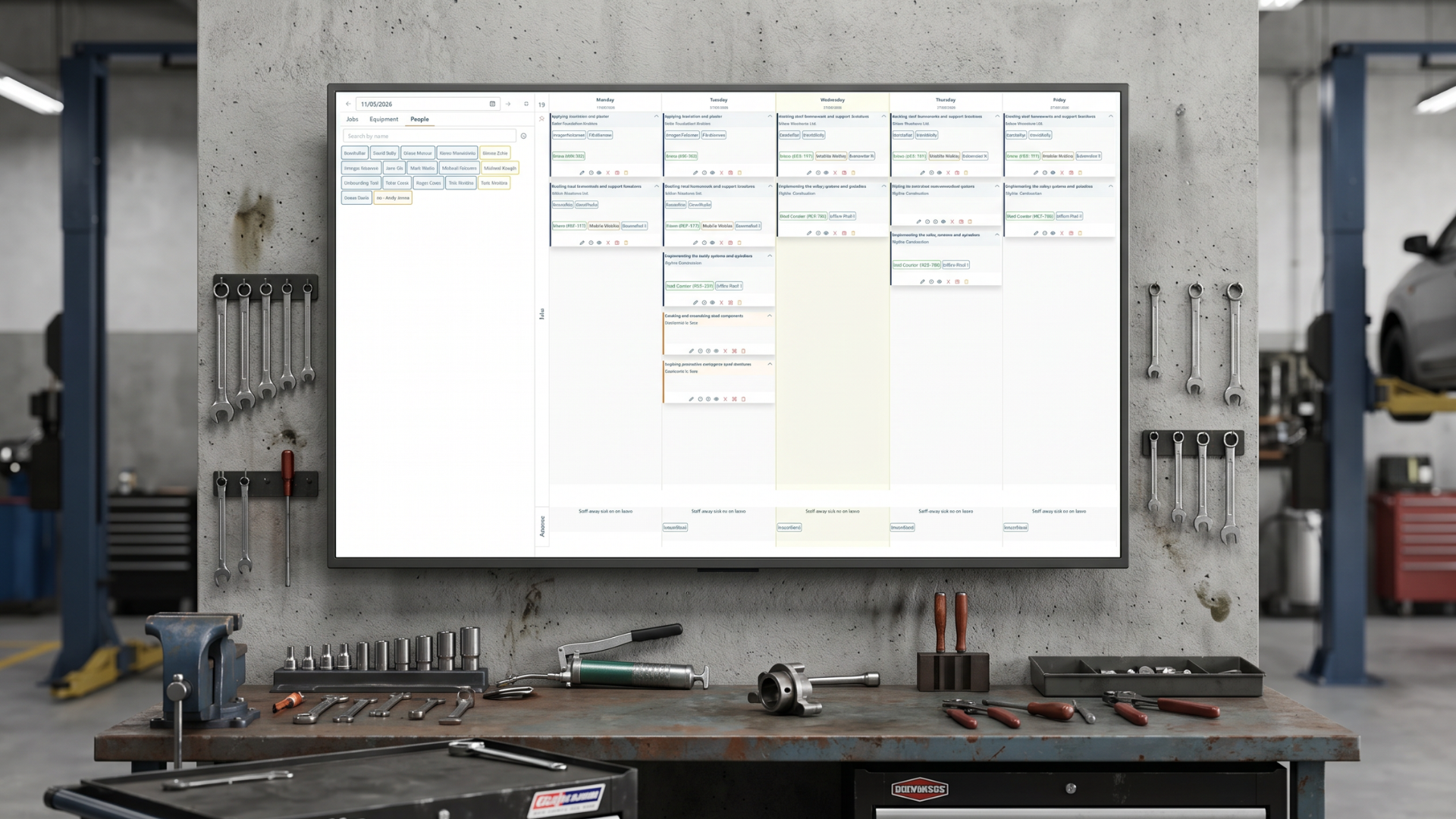
Manual timesheets are the most common source of payroll error in Australian construction, and the problem is structural rather than behavioural. It is not that workers intend to submit incorrect hours. It is that memory is an unreliable basis for financial record-keeping.
When a worker fills in their hours at the end of a week from memory, they are estimating. When an administrator re-enters those estimates into a payroll system by hand, they introduce a second layer of potential error. When those payroll figures are then matched to job codes by a third person, who may not have visibility of the original schedule, a third layer is added.
Research from ConstructionOwners and Lumber found that overtime miscalculations account for approximately 38.5% of payroll errors in construction, with incorrect pay rate application accounting for a further 36.5%. Half of all construction payroll professionals encounter recurring errors every month.
Under Single Touch Payroll Phase 2, now mandatory for all Australian employers, these errors are reported to the ATO in real time with every pay run. A payroll error that would previously have been quietly corrected at end of financial year is now visible to the regulator the moment it is processed.
Digital timesheet capture changes this. When hours are recorded in the field on a mobile device, validated against the confirmed schedule, approved by a manager in the same platform, and transferred directly to Xero for payroll processing, the layers of error are removed one by one. The hours that flow into payroll are the hours that were actually worked, at the correct rates, on the correct jobs.
This is the operational benefit of integration: not just efficiency, but accuracy. And in a compliance environment where payroll accuracy is reported to the ATO in real time, accuracy is not optional.
Expenses in the Field: The Invisible Margin Drain
Field expenses are the most under-managed cost category in most small construction businesses. Labour is visible. Materials are invoiced. But the fuel receipt from Wednesday, the hardware store purchase on Thursday, and the trailer hire that extended by a day on Friday are all expenses that need to find their way into the right job cost record, and in a manual system, many of them don't.
Vergo's analysis of construction expense management makes the stakes clear: misallocated costs distort job profitability reporting and complicate billing. When expenses are not correctly attributed to the job that incurred them, the job cost report overstates the margin on that job and understates it on another. The business may believe a job was profitable when it was not. And the next bid, based partly on what the last job cost, will be wrong from the start.
The integrated model addresses this directly. When a worker captures a field expense on a mobile device, allocates it to a job code, and submits it for approval in the workforce management platform, that expense flows into Xero's job cost record immediately. The approval is tracked. The allocation is recorded. The receipt is attached. And by the time the job is done, the job cost report in Xero reflects every expense that was incurred, correctly attributed, with an audit trail.
In the construction and engineering businesses we work with across Victoria and New South Wales, untracked field expenses are consistently among the first cost savings that emerge after integration. Not because the spending stops, but because the visibility starts.
One View: What It Actually Means in Practice
The phrase "your workforce in one view" is not about a single screen. It is about a single version of the truth: one set of data, shared between the operational system and the financial system, that every person in the business can rely on.
When the schedule is updated in chx4-Work, that change is visible to every manager and worker immediately. When timesheets are approved, they flow directly into Xero. When expenses are captured and coded in the field, they appear in the job cost report in Xero without anyone manually transferring them. When leave is approved, it is reflected in the schedule and in payroll simultaneously.
There is no gap between what operations knows and what finance knows. There is no weekly reconciliation session where an administrator tries to match a whiteboard photo to a timesheet to a payroll export. There is one version of what happened, and both sides of the business are looking at it at the same time.
For a deeper look at how disconnected systems affect construction profitability and compliance, see our article on The Hidden Cost of Disconnected Systems: Why Operations and Finance Must Share the Same Truth.
Key Takeaways
-
Xero is a financial platform for small construction businesses, but it was not built to capture operational data. It depends on accurate data flowing in from an integrated workforce management system.
-
Timesheets created from memory produce payroll errors. Research shows overtime miscalculations and incorrect pay rate application account for the majority of construction payroll errors. Digital capture at the point of work eliminates this at the source.
-
Untracked field expenses silently drain margins. Vergo's research shows misallocated costs distort job profitability reporting and complicate billing. Mobile expense capture with direct Xero integration closes this gap.
-
70% of construction projects experience budget overruns. Companies with real-time job cost tracking report gross margins of 21.8%, compared to the industry average of 6.3%. The difference is the quality of the financial data available during the project (Clyr, 2025).
-
STP Phase 2 means payroll accuracy is now reported to the ATO in real time. Errors that once went unnoticed until end of financial year are now immediately visible to the regulator. Accurate timesheet data flowing into Xero is a compliance requirement, not just an efficiency gain.
-
One view means one truth. When operational and financial data share the same platform, the reconciliation work disappears, the job cost report becomes reliable, and the business can manage margins during the project rather than discovering them after it is done.
If this sounded familiar, read this next → The Hidden Cost of Disconnected Systems: Why Operations and Finance Must Share the Same Truth: a detailed look at what it costs when operational and financial data live separately, and what changes when they connect.
Author Note & Disclosure: This article was written by FinalSprint. FinalSprint supplies the Chx4-Work scheduling and workforce management platform referenced below. The operational examples and product descriptions reflect how the platform is typically implemented for small-to-medium construction and engineering businesses; outcomes vary depending on team size, workflows, connectivity, and adoption.
About FinalSprint: FinalSprint helps construction, engineering, and trade businesses replace manual workforce processes (whiteboards, spreadsheets, paper forms) with practical scheduling and workforce management systems. We focus on fast setup, straightforward adoption, and workflows that fit how site-based teams operate.
Credentials: Based in Melbourne, Australia, FinalSprint has supported Australian businesses since 2017.
Sources Note: Where third-party research is mentioned, it is used to highlight common industry patterns. If you’re making a compliance or budgeting decision, review the original source material and your specific obligations (including Fair Work requirements) or seek professional advice.
References
-
Xero Australia: "Construction Payroll Compliance Guide," August 2025. https://www.xero.com/au/guides/construction-payroll-compliance/
-
Xero Australia: "Construction Job Costing Software Guide for Builders," May 2025. https://www.xero.com/au/guides/construction-job-costing/
-
RosterElf: "Xero Rostering and Timesheet App: Payroll Integration." https://www.rosterelf.com/features/payroll-integration/xero
-
Clyr: "Construction Expense Categories and Management," November 2025. https://clyr.io/blog/expense/expense-types-for-construction-companies
-
Outpave: "Why Small Construction Businesses Need Expense Management," February 2026. https://www.outpave.com/news/why-small-construction-businesses-need-expense-management
-
Beam: "Construction Expense Management Best Practices," August 2025. https://www.trybeam.com/resources/construction-expense-management-best-practices
-
Vergo: "Construction Expense Management: Mastering Job-Cost," March 2026. https://www.getvergo.com/learn/construction-expense-management-and-why-is-it-different-from-regular-expense
-
ConstructionOwners: "Construction Payroll Compliance: The Hidden Cost Crisis," December 2025. https://www.constructionowners.com/news/what-construction-owners-must-know-about-payroll-compliance-and-prevailing-wage-regulations
-
Scale Suite: "Xero Payroll Mastery: Complete Australian Business Guide (2026)," March 2026. https://www.scalesuite.com.au/resources/payroll-in-xero
-
Buildertrend: "How to Prevent Cost Overruns by Tracking Every Construction Expense in Real Time," June 2025. https://buildertrend.com/blog/construction-expense-tracking/
-
Gojee App: "The 10 Best Job Management Software to Use with Xero," April 2025. https://www.gojeeapp.com.au/the-10-best-job-management-software-to-use-with-xero/